
Screen time · iPhone and iPad
by Thryve Apps
Less scrolling, with a friend.
Meet Doorkeep, a friendly bear who stands at the door of the apps that steal your day. When you open one of your regulars, he checks in with a kind question: is this what you wanted to do right now? Say “not now” and he counts it as a win. Need a minute? Take a short pass, and the door comes back on its own when it's over.
Coming soonon the App Store
Free · No account · No ads · No tracking

How it works
A kind question at the door. Always your call.
- 01
Pick your regulars
Choose the apps, categories and websites that pull you in, and set a daily goal for your time in them.
- 02
The bear waits at the door
Open a regular and Doorkeep is there with a kind question: is this what you wanted to do right now?
- 03
Not now, or a short pass
Say “not now” and the app closes, and it counts as a win. Ask for a pass and you get a few minutes; the door comes back on its own when it ends.
Doorkeep uses Apple's Screen Time frameworks to show its door in front of your regulars. You give it Screen Time access once, for yourself; it is not a parental-controls app.
Screenshots
A bear who notices the little wins.
The App Store screenshots of Doorkeep 1.0 on iPhone.
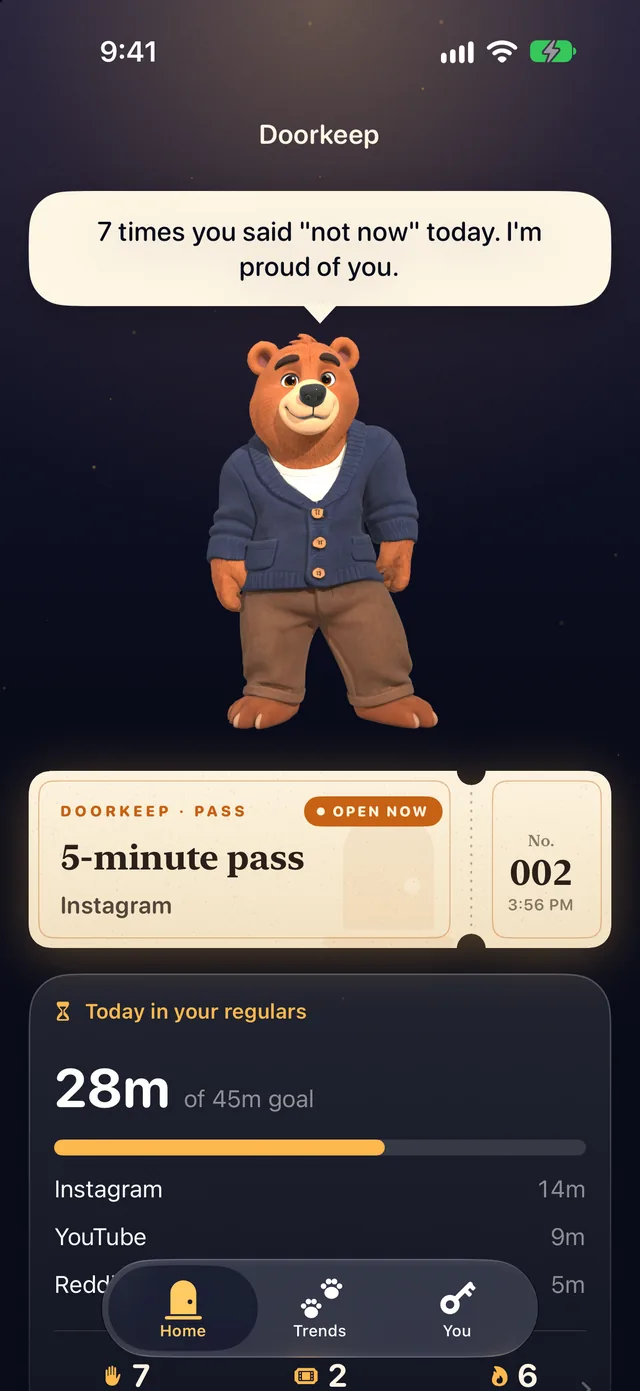
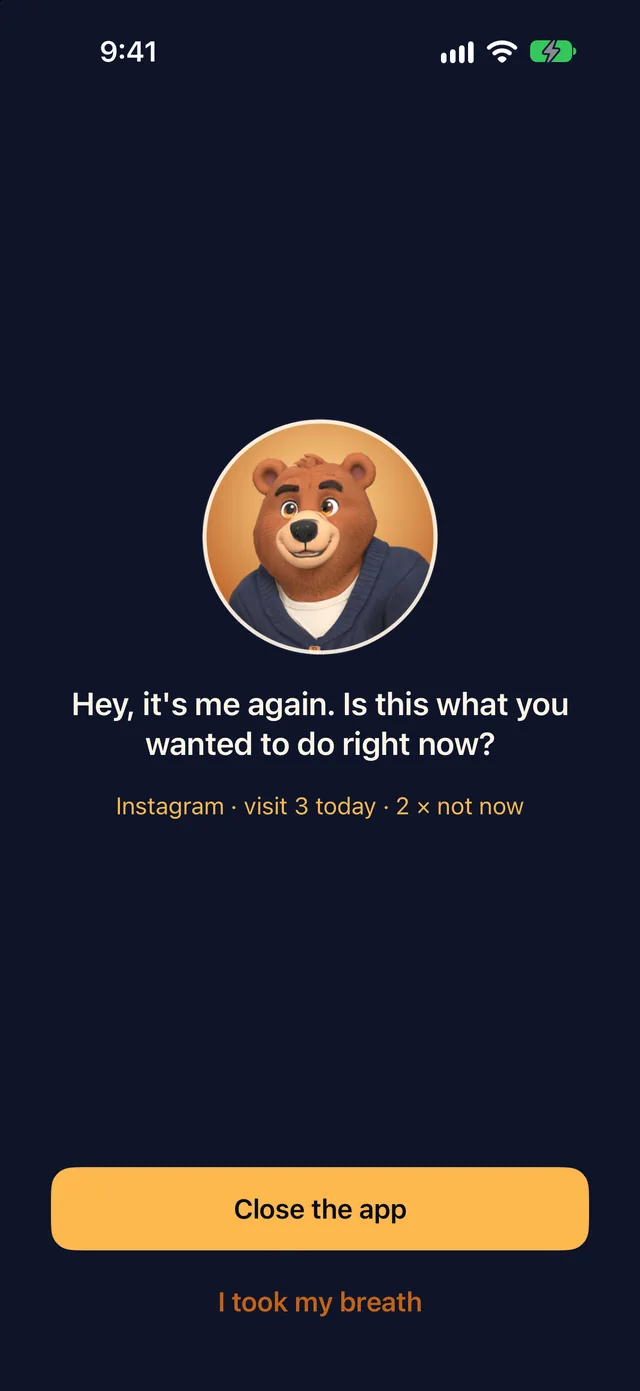
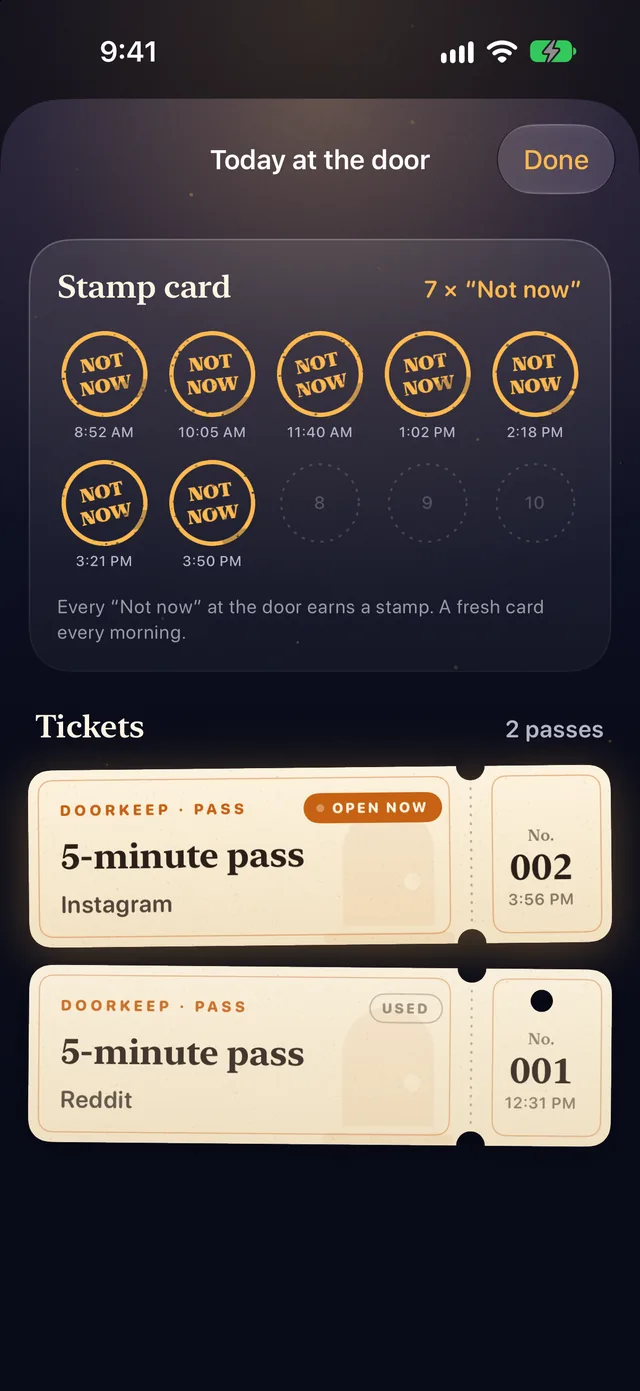
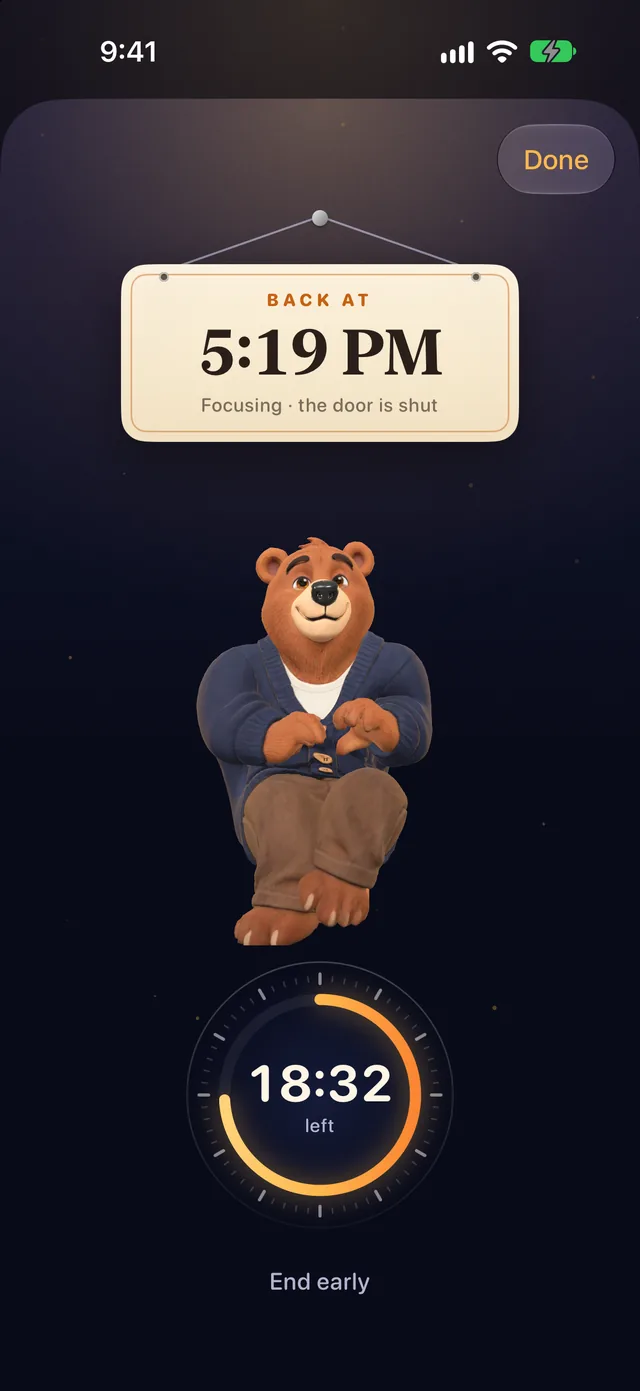
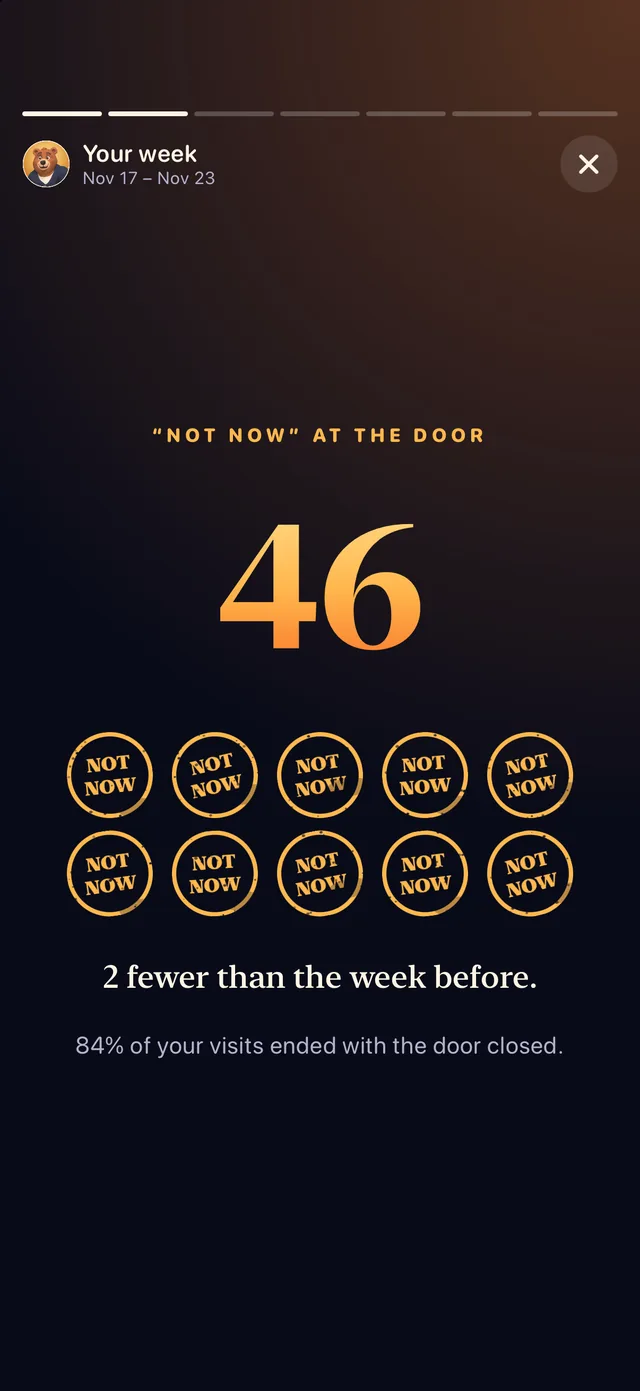
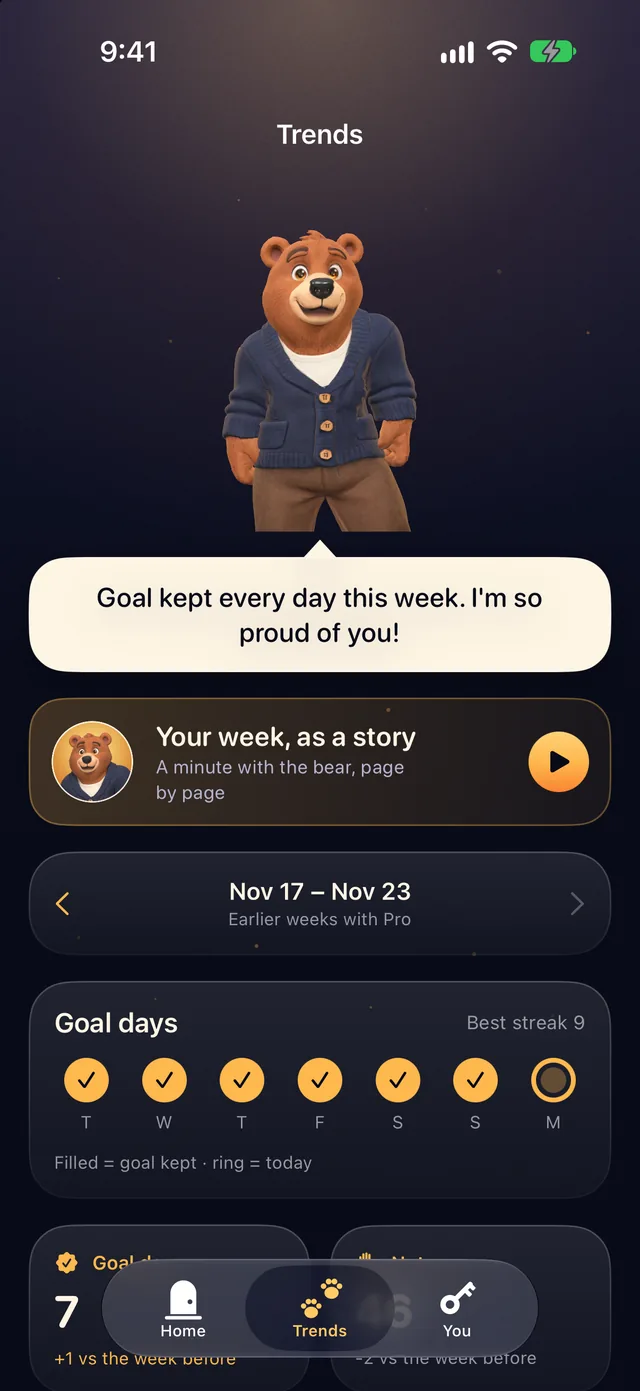
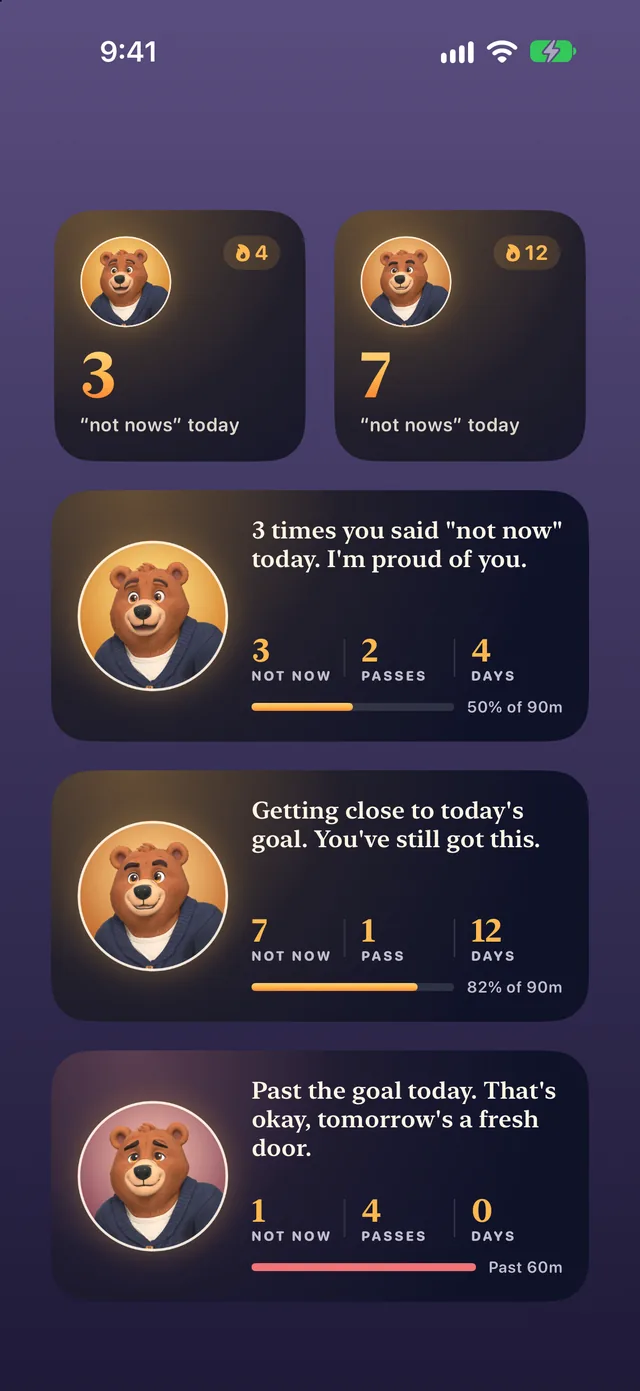
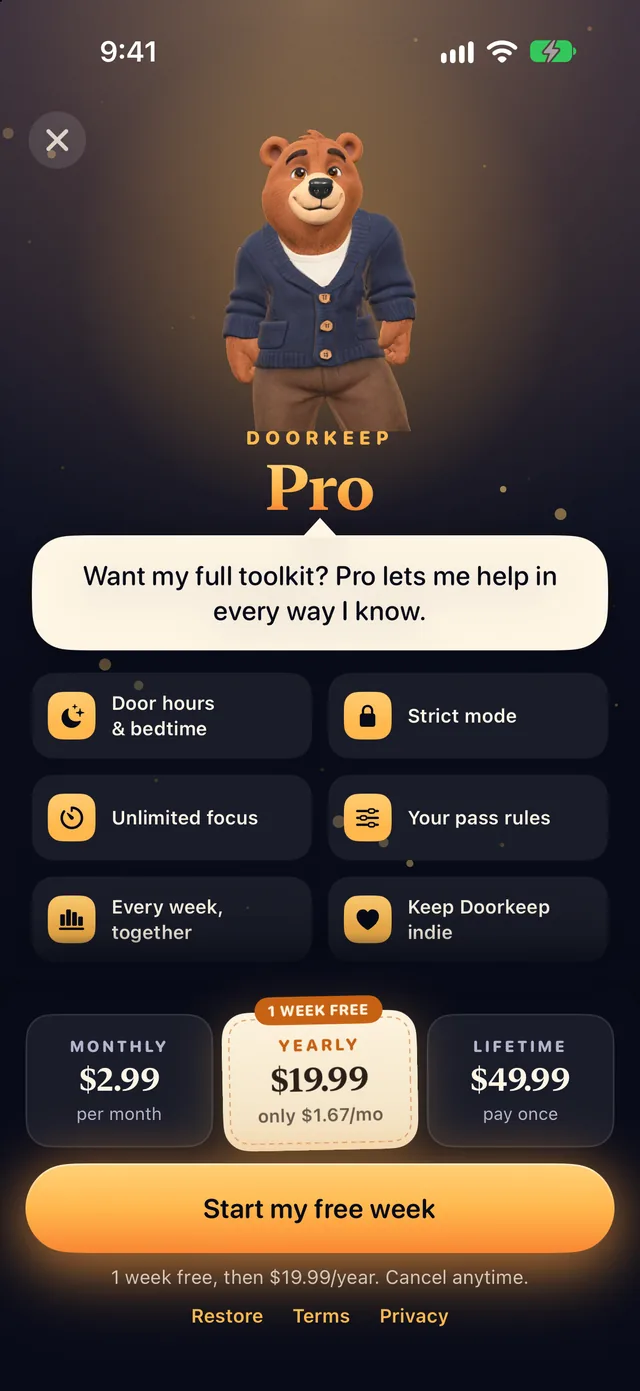
In the app
A companion, not a cop.
- A companion, not a cop
- A warm 3D bear who reacts to your day: proud when you walk away, gentle when it’s a tough one. No scolding, no guilt.
- Breathe with me
- A short pause before a pass gives the urge a moment to pass.
- Passes that end themselves
- Every pass is a little paper ticket, and the door comes back when it runs out. Passes get a little harder each time, and shorter once your goal is used.
- A stamp for every “not now”
- Each time you walk away, the bear stamps your card. A fresh card every morning.
- Your week, as a story
- A minute with the bear, page by page: your goal days, your “not nows”, your passes and how the week compares. Share it if you like.
- Focus sessions
- Shut every regular for a while, no passes. A “Back at” sign and the time left sit on your Lock Screen and in the Dynamic Island. One a day is free.
- A daily goal and streaks
- Set how much time you want in your regulars each day, see how today is going at a glance and keep your streak going.
- Widgets
- Home Screen and Lock Screen widgets with your bear, your streak and your wins, tinted to his mood.
Doorkeep Pro
Give the bear his full toolkit.
Doorkeep is free to use: the door, your daily goal, streaks, the weekly recap and story, reminders, widgets and one focus session a day. Pro is an optional in-app purchase through Apple.
Door hours and bedtime
Guard your regulars when it matters, and keep the door shut at night.
Strict mode
Keeps the door on for a time you choose. It can’t be turned off early, by design.
Unlimited focus sessions
As many as you like; free users get one a day.
Your own pass rules
Such as a daily pass limit or longer pauses.
Every weekly recap
Look back through earlier weeks, not just this one.
Monthly
$2.99 per month
Renews monthly
Yearly
$19.99 per year
1-week free trial for new subscribers
Lifetime
$49.99 once
One-time purchase, no renewal
US prices; the App Store shows the price for your country before you buy. Subscriptions renew automatically unless cancelled at least 24 hours before the end of the current period. Manage or cancel anytime in Settings › Apple Account › Subscriptions. Pro is not shared through Family Sharing. See the terms.
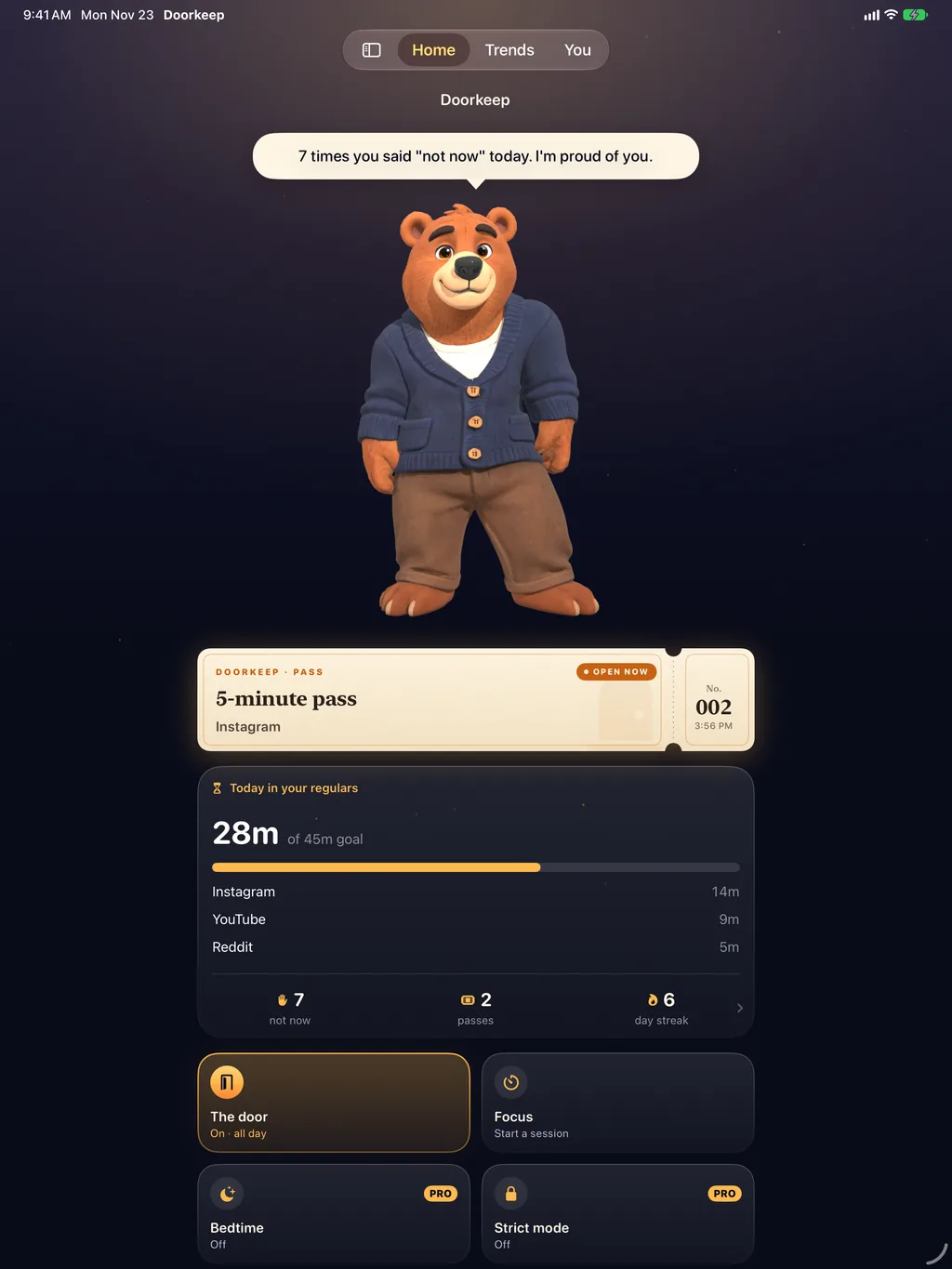
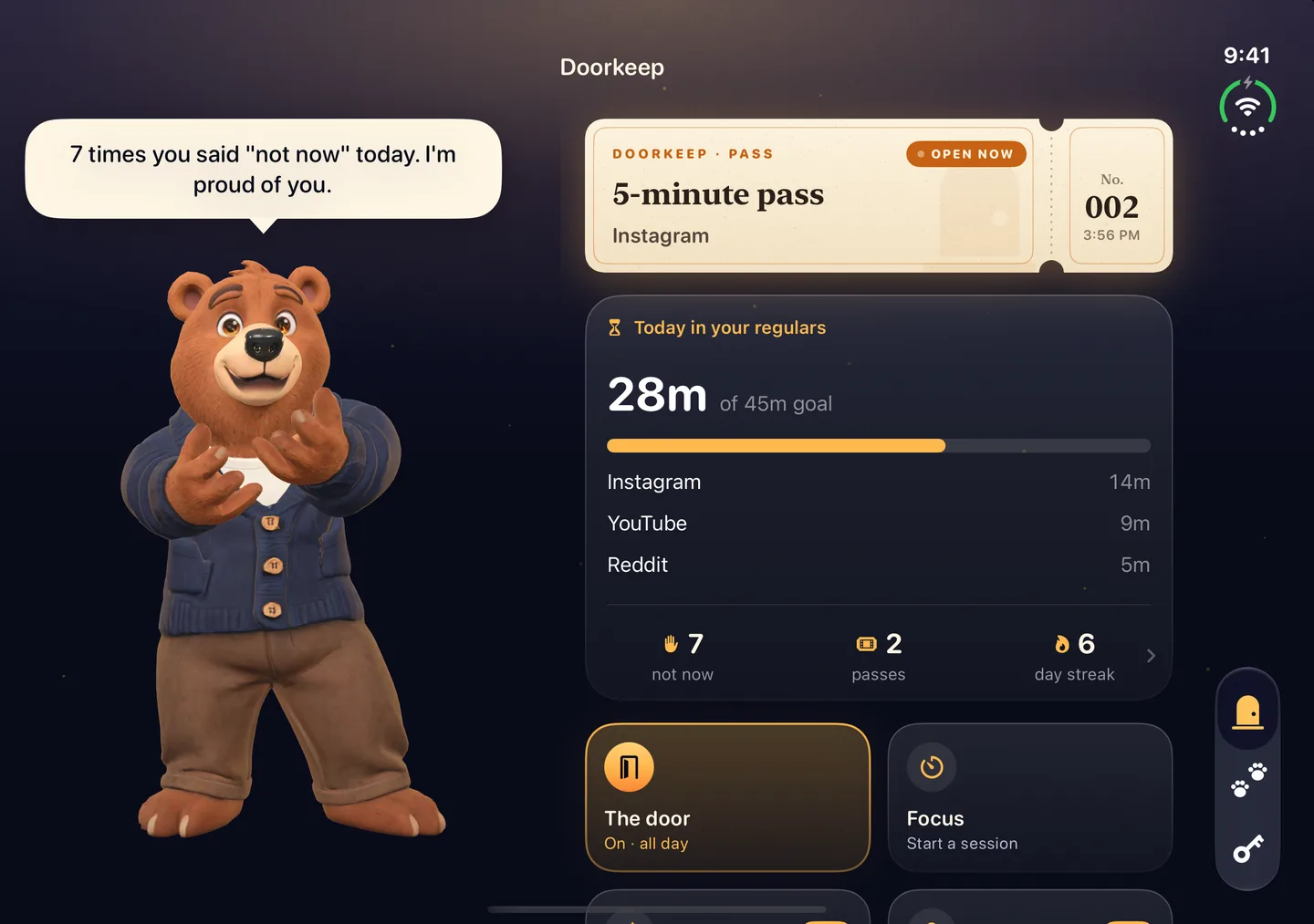
iPhone, iPhone Duo and iPad
The same friend on every screen.
- iPhone
- The door, your goal, streaks, focus sessions and widgets on any iPhone. On the folded iPhone Duo, the outer screen works like a regular iPhone.
- iPhone Duo, open
- Open the phone and the bear stands on one half while your day sits on the other.
- iPad
- The same bear and the same door, with room to spread out.
Private by design
Your screen time stays yours.
Data Not Collected
That is the app's App Store privacy label. No account, no ads, no analytics, no tracking, and no servers of ours.
On your device
Apple's Screen Time framework gives Doorkeep private tokens for your regulars, not their names or your browsing. Your settings, day log and streaks are stored on your iPhone or iPad, and deleting the app deletes them.
Purchases through Apple
Apple handles payment for Doorkeep Pro, so we never see your payment details. Reminders are local notifications. Read the privacy policy.
Support
Need a hand?
Answers to common questions are on Doorkeep support. Or email [email protected] with a bug, a question or an idea, and we'll reply by email.
Reporting a problem
So we can find it quickly, please include:
- your device (for example iPhone, iPad or iPhone Duo) and its iOS or iPadOS version;
- what you were doing, what happened and what you expected;
- a screenshot or screen recording, if you can take one.
The door didn't appear?
Open Doorkeep. If it asks to reconnect Screen Time, tap Reconnect, and check that Screen Time access is still on in Settings › Screen Time. Then make sure the door is switched on and the app is one of your regulars.
Less scrolling, with a friend.
Coming soonon the App Store
Doorkeep is published by Thryve Apps.
More from Thryve
All apps- Thryve PDFEverything you do to a PDF, in one place.Web
- Thryve PhotoResize, clean up and export any image.Web
- Thryve MediaTrim, join and convert video and audio.Web
- Thryve InvoiceGST-ready invoices and quotes in minutes.Web
 Declutter!A cozy puzzle game about tidy drawers.Mobile
 PANAMYour money in one place, kept on your phone.Mobile
 Desi BlocksA block puzzle with a desi heart.Mobile
 Habit CricketA habit tracker scored like a cricket innings.Mobile
 TidemarkSee where your disk space went, and why.Windows
 DockieA dynamic island for Windows.Windows